

ListAggDistinct
The ListAggDistinct function joins multiple values from a column into a list. Each window of values within the column is aggregated into an separate list.
Usage
ListAggDistinct(value, [separator], [direction])Function arguments:
column
(required) The column of values to be joined.
separator
(optional) The separator to add between values.
If no separator is specified, a comma is used.
direction
(optional) The direction in which the list is sorted.
Can be "asc" (ascending order) or "desc" (descending order).
If no direction is specified, the values are sorted in ascending order.
Examples
Example 1:
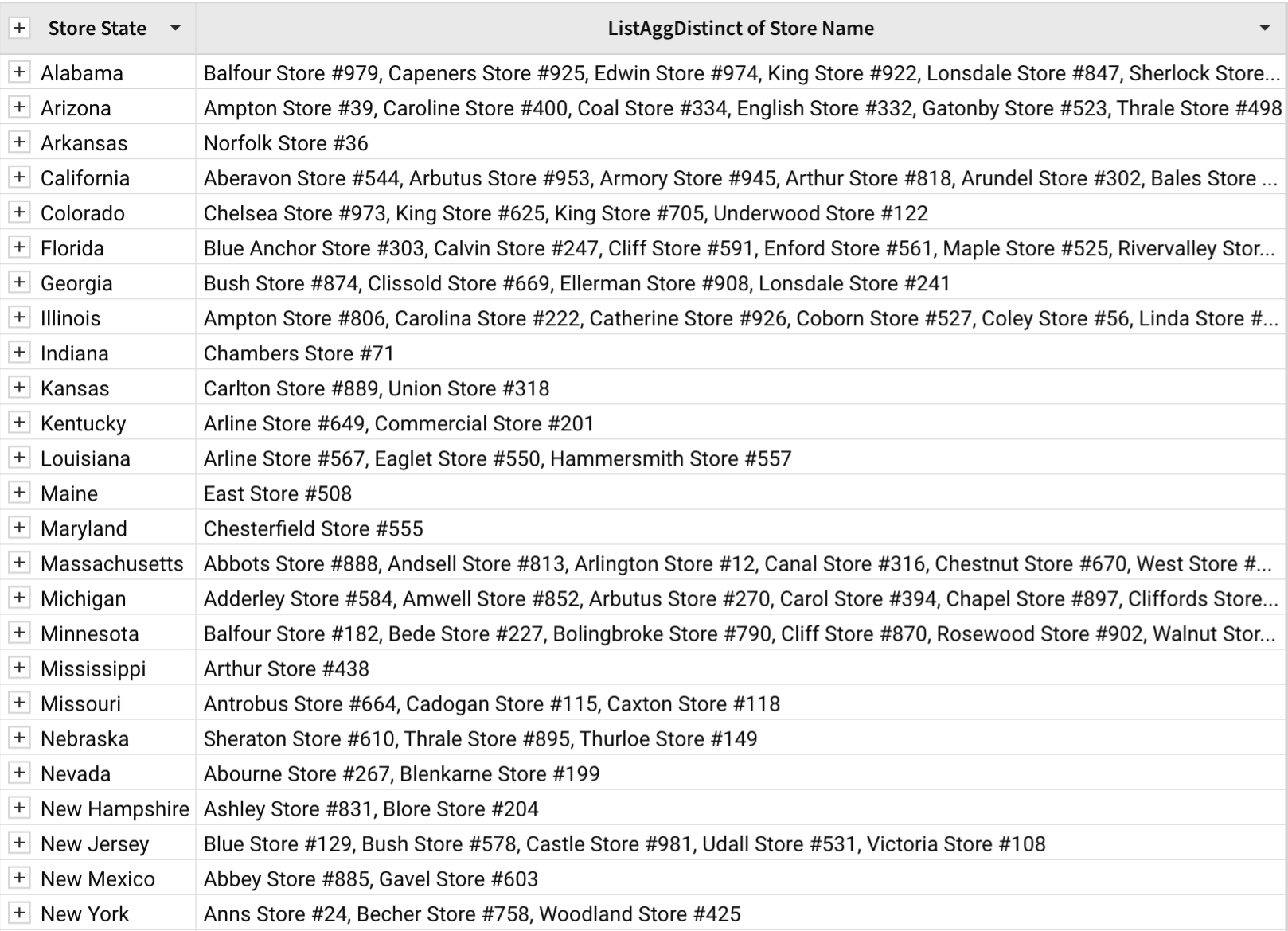
ListAggDistinct([Store Name])A table contains a grouped Store State column. Outside the grouping, there are orders for stores within the state. ListAggDistinct is used to return a list of distinct store names within each state. When neither the separator or direction is specified, the distinct values in the output are separated by a comma and sorted in ascending order.
Example 2:
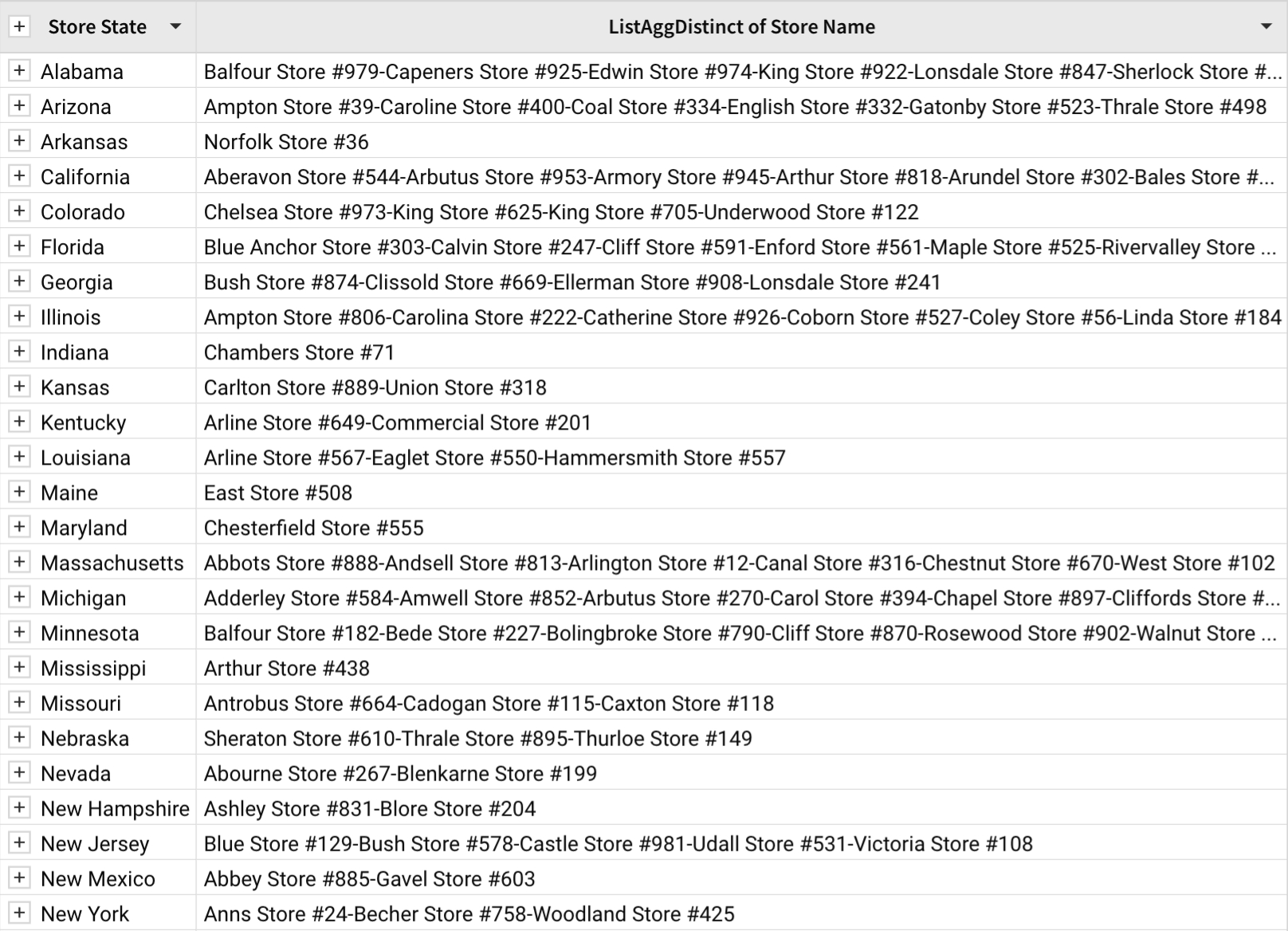
ListAggDistinct([Store Name], "-")When a dash (-) is specified as the separator, each distinct value in the output is separated by a dash.
Example 3:
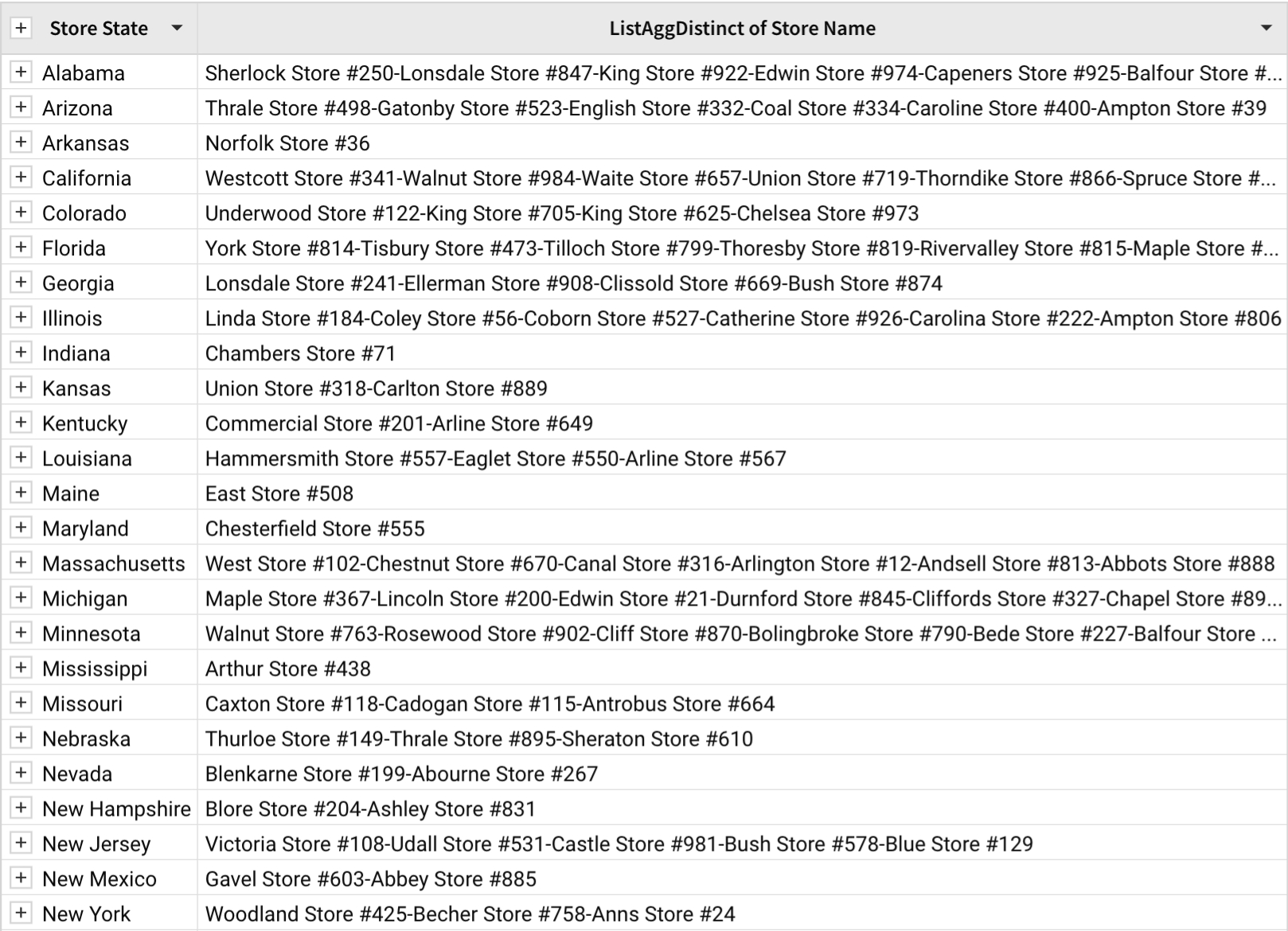
ListAggDistinct([Store Name], "-", "desc")When the direction is specified as desc, the output is sorted in descending order.
Example 4:
ListAggDistinct([Store State], "\n")When the newline character () is used as the separator argument, each value is displayed on its own line if Wrap text formatting is applied to the column.

Last updated
Was this helpful?